

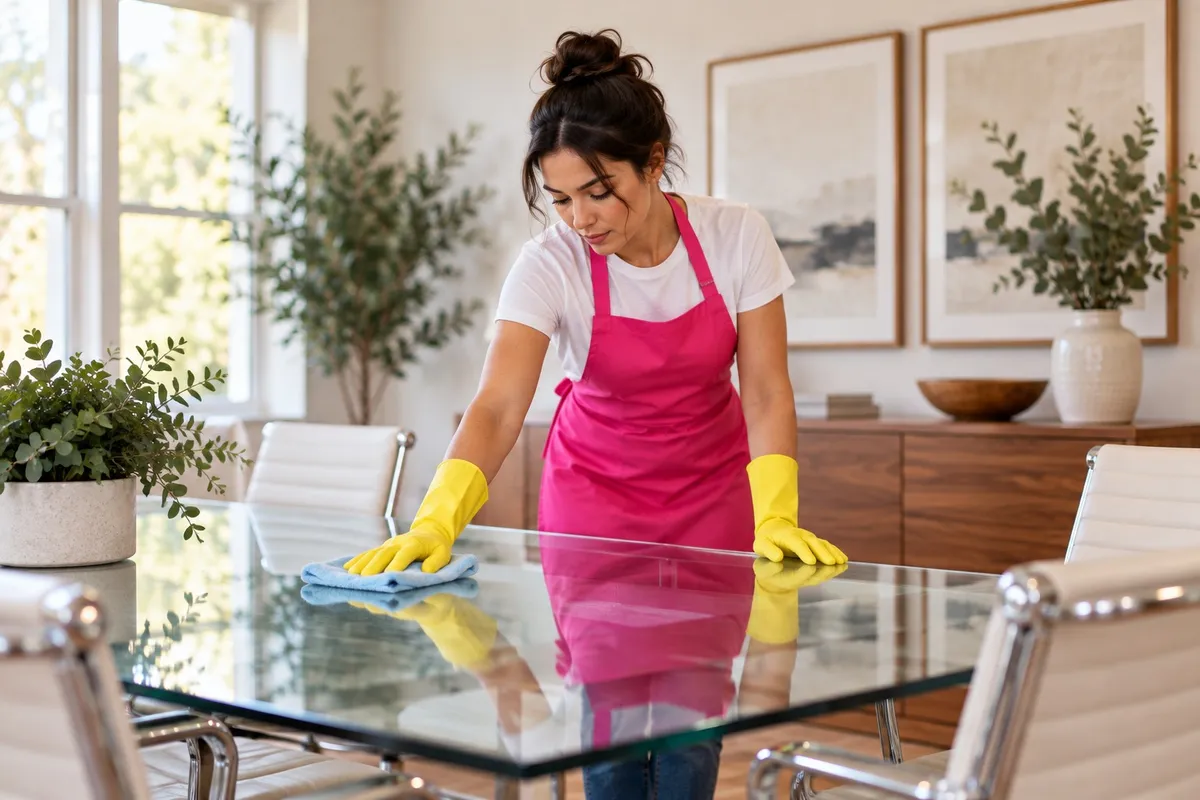
How to clean office desks, glass, screens and chairs
To clean office surfaces, start dry and add as little liquid as possible: dust first, then wipe with a barely damp microfiber cloth and a mild cleaner. Spray the cloth, not the surface, on screens, electronics and glass. Wood gets mild soap and gets dried. Disinfectant goes on high-touch points, not every surface in the room.
Too much liquid and the wrong product are what ruin office furniture, so the surface-by-surface detail below matters.
What do you need?
- Microfiber cloths, several, kept dry until you need one damp
- Warm water with a few drops of dish soap in a spray bottle
- Glass cleaner, or white vinegar diluted in water
- Rubbing alcohol wipes or a registered disinfectant
- A vacuum with an upholstery attachment and a crevice tool
- A soft brush for keyboards
How do you clean each office surface?
Laminate desks and tables
Clear the desk first. Spray the cloth with soapy water, wipe, then follow with a dry cloth so no film is left. Laminate handles this every week without trouble.
Wood and wood veneer
Dust with a dry cloth. For sticky spots, use a cloth barely dampened with water and a drop of soap, then dry right away. Don't let water sit, and don't use disinfecting wipes on wood as a habit; they dull and dry out the finish over time. Keep coasters on the desk.
Glass tables and partitions
Spray glass cleaner onto the cloth, wipe in an S pattern from top to bottom, then buff with a second dry cloth. For fingerprints on partitions, a damp microfiber cloth alone often does it. Clean glass out of direct sun so it doesn't dry streaky.
Screens and monitors
Turn the screen off so you can see the smudges. Wipe with a dry microfiber cloth first. For what's left, barely dampen the cloth with water and wipe gently. Never spray anything directly onto a screen, and skip paper towels; they can scratch coatings. Check the manufacturer's care instructions before using any cleaner.
Keyboards, mice and phones
Unplug or turn them off. Turn the keyboard upside down and tap it out, then brush between the keys. Wipe the keys, the mouse and the phone handset with an alcohol wipe or a disinfectant wipe squeezed nearly dry. Liquid dripping between keys is how keyboards die.
Whiteboards
Erase with a dry eraser daily. Once a week, use whiteboard cleaner or a little rubbing alcohol on a cloth to lift the ghosting. Don't use abrasive pads or a melamine sponge; they scratch the surface and the ghosting gets worse.
Fabric office chairs
Vacuum the seat and back with the upholstery attachment and the crevice tool along the seams. Then check the care tag under the seat: W means water-based cleaner is fine, S means solvent-based only, WS means either, and X means vacuum only. Blot spills; scrubbing spreads them and fuzzes the fabric.
Leather and vinyl chairs
Wipe with a damp cloth and a drop of mild soap, then dry. Leather benefits from a conditioner a couple of times a year.
Stainless steel and metal
Break room appliances, elevator panels and door push plates. Wipe with soapy water, rinse and dry, always with the grain. No steel wool, no abrasive powder.
Hard floors and carpet
Floors go last. Vacuum carpet in walkways and under desks people have cleared. Sweep or dry mop hard floors before mopping, so grit doesn't scratch the finish.
Which surfaces need disinfecting?
The ones many hands touch: door handles, light switches, the copier keypad, elevator buttons, the fridge handle, coffee maker buttons, shared phones and conference room remotes. Clean them first, then disinfect, and leave the disinfectant wet for the time on its label. Our guide to cleaning and disinfecting high-touch surfaces walks through that step. It's written for homes, and the method is the same at work.
What are the common mistakes?
- Spraying cleaner straight onto electronics. It runs into seams and ports.
- Using one product for everything. Bleach on wood, vinegar on stone and glass cleaner on a screen coating all cause damage.
- Using a melamine sponge on glossy finishes. It's a fine abrasive and leaves dull patches.
- Skipping the test spot. Try any new cleaner somewhere that doesn't show first.
- Wiping with a dirty cloth. Switch to a clean face of the cloth often, and wash cloths weekly.
When does it make sense to bring in a cleaning company?
When the surfaces only get wiped when someone notices, or when the office has grown past what a Friday half hour can cover.
Tina's Clean Team cleans offices, retail, property common areas and most other commercial spaces across South Jersey and Central Jersey. If a space needs a specialized certification, we'll tell you before you book.
Smaller offices with a clear scope can book directly with our team, no walkthrough needed. Larger spaces, or spaces that are harder to quote, get a free on-site walkthrough with Michael, Tina's son, and a quote. We reply to commercial requests within one business day.
Cleaning can be one-time or up to daily, and more than once a day if a space needs it. We bring standard supplies and equipment, and we can use yours if you prefer. There are no long-term contracts.
See Office Cleaning for how it works.
FAQ
How do you safely clean a computer screen? Turn it off, wipe it with a dry microfiber cloth, and for smudges use a cloth barely dampened with water. Don't spray anything on the screen itself, and check the manufacturer's care instructions before using any cleaner.
Can you use disinfecting wipes on a wood desk? Not as a habit. Wood and wood veneer do better with a barely damp cloth and a drop of mild soap, dried right after. Save disinfectant for the keyboard, mouse, phone and handles.
How do you clean a fabric office chair? Vacuum it with an upholstery attachment, then check the care tag. W means water-based cleaner is fine, S means solvent only, WS means either, and X means vacuum only. Blot spots, don't scrub.
How often should office desks be cleaned? A quick wipe of the keyboard, mouse and phone at the end of the week, and a full clear-and-wipe of the desk surface weekly. Shared desks and hot desks need a wipe between users.
Request a quote
Tell us about your space at tinascleanteam.com/request-a-quote, or call or text (609) 831-4455.
